
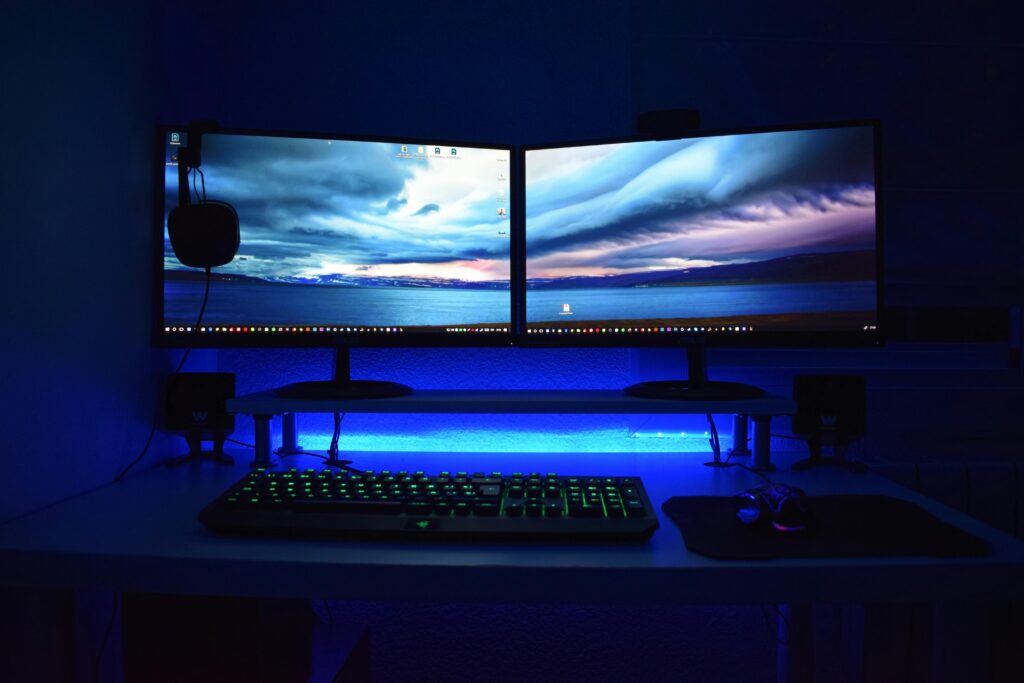
To establish a high-performance gaming PC configuration that delivers optimal speed, graphics quality, and system stability for competitive and immersive gaming experiences.
System Requirements
Core Components
• Processor (CPU): AMD Ryzen 7 7800X3D or Intel Core i7-13700K
• Graphics Card (GPU): NVIDIA GeForce RTX 4080 or AMD Radeon RX 7900 XTX
• Memory (RAM): 32GB DDR5 (6000MHz or higher)
• Storage:
o Primary: 1TB NVMe SSD (PCIe 4.0) for OS and key games
o Secondary: 2TB SATA SSD or HDD for additional storage
• Motherboard: Compatible ATX board with PCIe 5.0 support and robust VRM cooling
• Power Supply (PSU): 850W 80+ Gold certified modular PSU
• Cooling System: 360mm AIO liquid cooler or high-end air cooler
• Case: Mid or full tower with optimized airflow and cable management
Peripheral Equipment
• Monitor: 27″ QHD (2560×1440) 165Hz or 4K 144Hz with G-Sync/FreeSync
• Keyboard: Mechanical with customizable RGB and anti-ghosting
• Mouse: High-DPI gaming mouse with adjustable weights
• Headset: Surround sound headset with noise-canceling microphone
• Controller (optional): Xbox or DualSense controller for compatible titles
Software Configuration
Operating System
• Windows 11 Pro (64-bit) with latest updates
• Disable unnecessary startup programs for faster boot times
Drivers and Utilities
• Install latest GPU drivers from NVIDIA or AMD
• Update motherboard BIOS and chipset drivers
• Use monitoring tools such as MSI Afterburner or HWMonitor for performance tracking
Game Optimization
• Enable hardware-accelerated GPU scheduling
• Adjust in-game settings for balance between FPS and visual fidelity
• Use DLSS, FSR, or XeSS for performance scaling
Network Optimization
• Use wired Ethernet connection for minimal latency
• Configure Quality of Service (QoS) on router for gaming traffic priority
• Regularly update network drivers and firmware
Security and Maintenance
• Install reputable antivirus software with gaming mode
• Schedule regular system scans and disk cleanups
• Backup game saves and system images to cloud or external drive
• Clean dust filters and fans every 3–6 months
Performance Tuning
• Overclock CPU and GPU cautiously using manufacturer tools
• Enable XMP/EXPO profiles for RAM performance
• Monitor temperatures to maintain safe operating levels (CPU <85°C, GPU <80°C) Aesthetic and Ergonomic Setup
• Integrate RGB lighting with synchronization software (e.g., Corsair iCUE, ASUS Aura Sync)
• Use cable sleeves and routing channels for clean presentation
• Position monitor at eye level and maintain ergonomic desk layout Benchmarking and Testing
• Run 3DMark, Cinebench, and Unigine Heaven for performance validation
• Compare results with expected benchmarks for hardware tier
• Adjust settings based on thermal and performance data Troubleshooting Protocol
• Identify issues through event logs and monitoring tools
• Test components individually (RAM, GPU, PSU) using diagnostic software
• Maintain a recovery USB for OS repair or reinstallation Future Upgrade Path
• Plan for GPU and CPU upgrades every 3–5 years
• Transition to PCIe 5.0 storage and DDR5 memory as standards evolve
• Consider VR and ultrawide monitor support for next-generation gaming